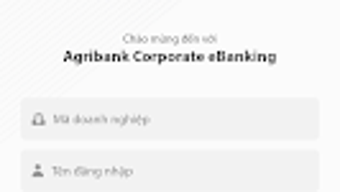

Download Agribank Corporate eBanking – digital banking, business banking, corporate banking, mobile banking, online banking, financial management, fund transfer, bill payment, secure banking
Overview
Agribank Corporate eBanking is a digital banking platform tailored for business customers of Agribank Ngân hàng Nông nghiệp PTNT Việt Nam. Designed specifically for corporate clients, the application enables seamless financial management through a mobile interface. The primary purpose of the software is to provide businesses with remote access to essential banking services, allowing them to monitor accounts, initiate transactions, and manage financial operations without visiting a physical branch.
It addresses common challenges faced by business users, such as time constraints, limited access to banking hours, and the need for real-time financial oversight. The platform supports key functions including balance inquiries, fund transfers, and bill payments, which are critical for day-to-day business operations. Target users include small to medium enterprises, corporate account holders, and financial officers managing company finances.
The solution is particularly beneficial for businesses operating in agricultural, trade, and service sectors, where frequent financial transactions are common. The application is accessible via Android devices and is available for download on the Google Play Store. The developer did not provide additional system requirements beyond the operating system and version details.
Key Features & Capabilities
- Account Management: Users can view account balances and transaction histories in real time, enabling accurate financial tracking and reconciliation.
- Fund Transfers: The app allows internal and external fund transfers between accounts, supporting both immediate and scheduled transactions for improved cash flow planning.
- Bill Payments: Businesses can make payments for utilities, subscriptions, and other recurring expenses directly through the platform, reducing administrative workload.
- Secure Authentication: Multi-layered security protocols are implemented to protect user credentials and transaction data, ensuring safe access to sensitive financial information.
- Mobile Accessibility: The application is designed for Android devices, allowing business users to manage finances anytime, anywhere, enhancing operational flexibility.
These features are particularly useful in scenarios such as payroll processing, vendor payments, and inter-office fund allocations. The intuitive layout ensures that even users with limited technical experience can navigate the platform with minimal training. The developer did not specify advanced automation or integration features beyond the listed capabilities.
User Interface, Workflow & Performance
The user interface of Agribank Corporate eBanking is described as intuitive and user-friendly, emphasizing ease of navigation for business customers. The layout is structured to prioritize frequently used functions such as balance checks, transfers, and payments, allowing for quick access without multiple menu layers. Navigation is designed to be straightforward, with clearly labeled sections and consistent visual cues.
Workflow efficiency is enhanced by minimizing the number of steps required to complete common tasks, such as initiating a fund transfer or generating a transaction report. The application’s performance is expected to align with standard mobile banking behavior on Android devices running version 6.0 and above. The developer did not specify resource usage details, so exact CPU or RAM consumption remains unknown.
General performance observations are based on typical mobile banking app behavior, with smooth operation under normal usage conditions. Stability appears to be maintained across the supported Android versions, though no specific data on crash rates or update frequency was provided.
Compatibility & System Requirements
Agribank Corporate eBanking is designed for Android operating systems and is compatible with devices running Android 6.0 and above. The application has a file size of 77.3 MB, which is typical for a feature-rich mobile banking app. The developer did not specify additional hardware requirements such as minimum RAM, processor speed, or storage space.
Installation is performed via the Google Play Store, and no standalone installer or offline setup is mentioned. The software version is 4.0.1, released on March 25, 2024. Compatibility information was partially provided, with no details on support for iOS or other platforms.
Users are advised to ensure their device meets the minimum Android version requirement for optimal functionality.
Pros and Cons
Pros
- Free to download and use, eliminating upfront costs for business users.
- Intuitive interface designed for ease of use by non-technical business personnel.
- Secure authentication mechanisms to protect financial data and transactions.
- Supports essential corporate banking functions like fund transfers and bill payments.
- Available on the Google Play Store for convenient access and updates.
Cons
- Only available for Android devices; no support for iOS or other platforms.
- Exact system requirements beyond Android 6.0 were not specified.
- Limited to Agribank corporate customers; not accessible to general consumers.
- Performance under heavy usage or low-end devices was not documented.
- Features are focused on core banking tasks; no advanced financial analytics or reporting tools were mentioned.
FAQ Section
Is Agribank Corporate eBanking available for iOS devices?
The application is currently only available for Android. There is no official iOS version provided by the developer.
Is the app secure for handling financial transactions?
Yes, the app includes multiple layers of security to protect user data and transactions. The developer emphasizes secure authentication protocols, though specific technical details were not disclosed.
How often are updates released for the app?
The latest version, 4.0.1, was released on March 25, 2024. The update frequency is not specified, but users can expect updates through the Google Play Store.
Can I use the app without an internet connection?
Agribank Corporate eBanking requires an active internet connection to perform transactions and access account data. Offline functionality is not supported.
Is there a license fee or subscription cost?
No, the application is free to download and use. There are no reported subscription fees or hidden charges.
Final Thoughts
Agribank Corporate eBanking delivers a reliable and accessible digital banking experience for business clients of Agribank. Its focus on core financial operations—account management, fund transfers, and bill payments—makes it a practical tool for companies seeking to streamline their financial workflows. The intuitive interface and mobile accessibility enhance usability, especially for on-the-go business owners and finance managers.
While the app is limited to Android and lacks advanced reporting features, its security measures and free availability make it a strong choice for eligible corporate customers. For businesses already using Agribank services, this platform offers a convenient way to manage finances remotely. The lack of cross-platform support and detailed system specifications are notable limitations, but they do not detract from its core functionality.
Overall, it stands as a solid digital banking solution for businesses in Vietnam with Agribank accounts.
Download Agribank Corporate eBanking now





.png)

